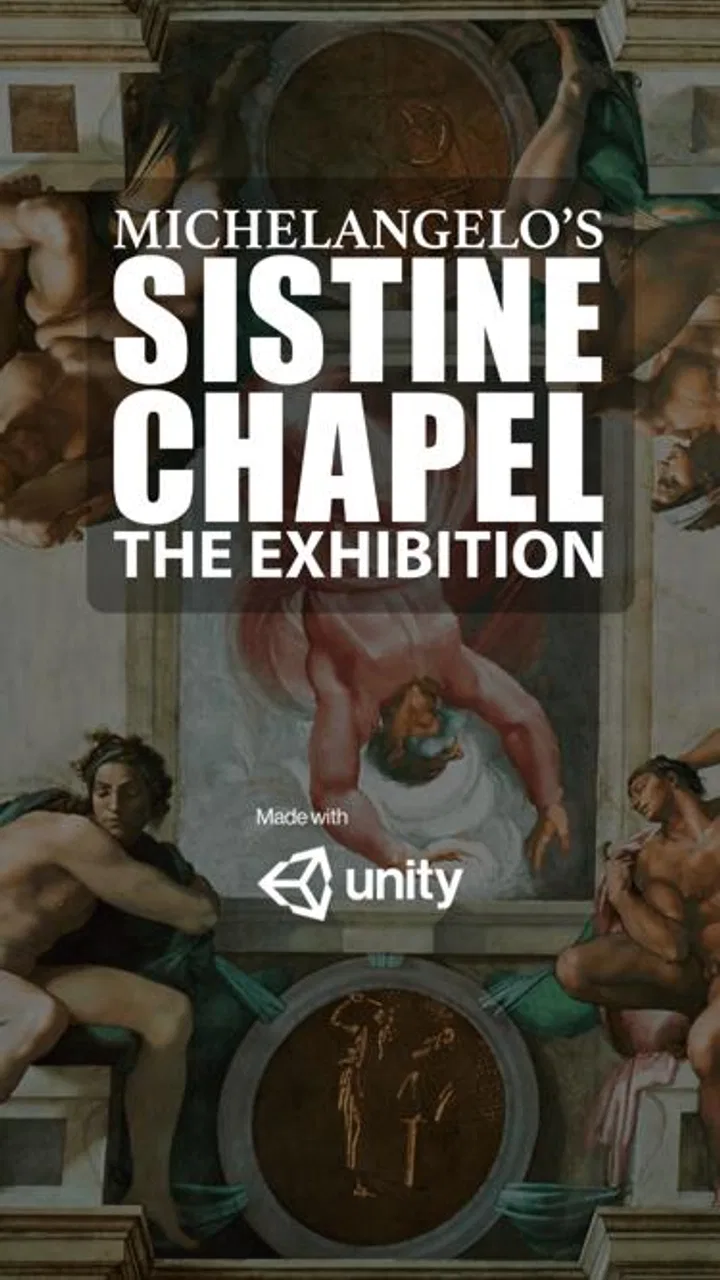
SEE's Michelangelo's Sistine
- 3.4
- Rating
- 50.00K
- Installs
- Free
- Price
 Analysis by App-foxy
SEE's Michelangelo's Sistine is the kind of app I would open before visiting an exhibition, not after. It is an audio-guide companion for SEE's presentation of Michelangelo's Sistine Chapel, and its purpose is pleasantly focused: help you look at the artwork while listening rather than forcing you to read a long wall of text. I found that focus useful because the Sistine Chapel can feel overwhelming. There is so much to see that a little structure makes the experience calmer and more rewarding.
This is a free Events app from Venkata Reddy G, rated for Everyone. It has passed the fifty-thousand-install mark and holds an average rating of 3.4 from roughly one hundred ratings, with about twenty written reviews. Those figures suggest a real audience, but also a mixed experience rather than an app that everyone finds flawless. I would treat it as a practical companion for a specific cultural visit, not as a complete art-history reference.
How I judged the companion before relying on it
My first decision criterion was whether the app actually helps me pay attention to the artwork. An audio guide succeeds when I can listen at a comfortable pace, pause without losing my place, and return to a section when a detail catches my eye. That matters more here than having a crowded menu or a large collection of unrelated museum material.
You May Also Like

 Blood Strike: 2.5 Anniversary
Blood Strike’s Loadouts Turn Every Drop Into a Tactical Gamble
A close look at Blood Strike’s custom loadouts: how fast access to signature weapons reshapes its battle royale rhythm, rewards preparation, and narrows the gap between fights.

 Pandora - Music & Podcasts
Pandora’s Music Is Easy to Start, but Harder to Recover
Pandora’s strength is its low-effort path from a seed to a station. Its weak spot is how much confidence it asks you to place in connection, setup, and quiet recovery.

 8 Ball Pool
 Is Built on Rivalries, Rematches, and Routine
A close look at the rivalries, rematches, shared routines, and unanswered safety questions that turn a quick pool match into a persistent mobile community.

 Samsung Music
’s Quiet Strength Is Playing What You Already Own
Its reach comes less from spectacle than from dependable access to a personal library. That simplicity is both the app’s strongest retention engine and its ceiling.

 AccuWeather: Weather Radar
AccuWeather Review: A Quick, Clear Forecast for Everyday Decisions
For everyday plans, the best forecast is the one you can understand quickly. AccuWeather makes rain timing, radar, and local conditions easy to act on, with a few trade-offs.

 Hill Climb Racing
Why Hill Climb Racing Still Turns Crashes Into One More Run
A tiny car, a bumpy hill and one more upgrade: Hill Climb Racing keeps resurfacing because its simple chaos makes every near-miss feel personal.
More From Our News Desk



The second criterion was context. A guide to Michelangelo's Sistine Chapel has to do more than identify a famous image. It should help a visitor connect individual scenes with the larger ceiling, understand why certain details deserve a closer look, and avoid the common problem of staring at the most recognizable section while missing everything around it. I used the app with that question in mind: does it make the visit easier to follow?
I also considered the setting in which people are likely to use it. An audio guide is not normally used at a desk with unlimited time and perfect silence. It is used while standing, walking, sharing the visit with someone else, or trying to listen in a busy cultural venue. That makes simple controls and a clear sequence more important than decorative presentation.
Finally, I asked whether it could replace the usual alternatives. Those alternatives include reading a printed guide, joining a human-led tour, using a general audio-tour service, or simply searching for explanations as questions arise. Each option has a different balance of cost, depth, flexibility, and personal interaction. This app is most convincing when its narrow purpose is an advantage rather than a limitation.
A focused way to approach a crowded masterpiece
The strongest part of the experience is the sense of direction. Instead of arriving with a vague plan to “look at the ceiling,” I can use the audio as a route through the subject. That changes how I look. I am more likely to pause at a less obvious detail, compare one section with another, and notice that the chapel is not just a collection of isolated famous pictures.
I recommend listening once before the visit if your schedule allows. Even a short preview can make the actual viewing less fragmented. Then, during the visit, I would avoid trying to consume every explanation in one uninterrupted run. The better workflow is to listen to a section, stop the audio, look carefully, and resume only when I am ready. This sounds simple, but it prevents the guide from turning the artwork into background noise.
Another useful habit is to share the listening plan with whoever is visiting with you. If one person controls the phone while everyone listens, the group can move at a common pace. If you are visiting alone, the app is easier to use because you can pause whenever you need without negotiating the timing with anyone else. That makes it particularly suitable for visitors who prefer a self-guided experience.
The app works best when it supports looking, rather than replacing it. I would not treat the narration as something to finish as quickly as possible. Its value comes from giving you a reason to slow down and inspect the work. If you keep your eyes on the screen throughout the visit, you lose the main benefit of an audio guide.
What makes it a sensible free download
There is an obvious practical advantage: the app is free. That removes the biggest hesitation many visitors have about trying a specialized guide for one cultural destination. You do not have to commit to a paid tour simply to discover whether an audio explanation suits you. For a person planning a short visit or an occasional museum day, that low-risk entry point is meaningful.
The age rating of Everyone also makes it an easy option for a mixed group. Families can consider it without the app itself creating an age-related barrier, although the amount of historical and artistic discussion may still be more interesting to older children and adults. I would use it as a shared listening aid, then explain difficult ideas in my own words if a younger visitor loses interest.
Its older Android compatibility is another practical strength. The minimum requirement is Android 4.4, so someone using an older phone may still be able to install it. That does not guarantee an identical experience on every device, but it makes the app more accessible than guides that assume a recent handset. If you are preparing for a visit, I would install it before leaving home and check that your particular phone handles playback comfortably.
The current version is 2.1, which gives the app a clear, modest identity rather than suggesting a constantly expanding platform. I see that as a reminder to judge it for its core purpose: listening to a guide connected with SEE's Michelangelo's Sistine. I would not download it expecting a broad museum database, a social travel network, or a general-purpose art course.
Three ways I would use it beyond a first listen
My first non-obvious tip is to use the guide as a preparation tool, not only as an on-site accessory. Before the visit, listen in a quiet room and write down the names or ideas that seem easiest to forget. When you arrive, those notes become a small viewing checklist. This is especially helpful if you know that the scale of the chapel will make it difficult to remember every point from the audio.
My second tip is to divide the experience into attention blocks. Rather than playing the entire guide while walking continuously, I would use one segment for orientation, another for close observation, and a final segment for reflection. This approach makes the app feel less like a recording and more like a personal tour plan. It also helps visitors who become tired when they listen and stand for too long at the same time.
My third tip is to use it as a conversation starter after the visit. If I am with a friend, I would each choose one detail that the guide made more noticeable and compare impressions afterward. That is a better use of a specialized audio guide than trying to memorize every explanation. The app gives the visit a shared structure, while the discussion makes the experience personal.
A fourth useful trade-off is deciding when not to listen. If the space is busy, if your group is already engaged in a good conversation, or if you are having trouble concentrating, pausing is better than forcing yourself through the narration. An audio guide should serve the visit. It should not become another task that competes with the artwork.
Where a human guide or another format may be better
The app cannot respond to a question in the moment. A human guide can notice what interests you, adjust the level of detail, and explain a confusing point using different words. If you are traveling with someone who has a strong interest in Renaissance art, a live tour may feel more satisfying because it creates a dialogue rather than a fixed sequence.
A printed guide has a different advantage. It lets you move at your own speed without wearing headphones, and it is easier to share around a group. Readers who like comparing visual details with written captions may prefer paper. The trade-off is that reading can pull your eyes away from the artwork, while an audio format leaves your vision available for observing.
General audio-tour platforms may suit visitors who want one app for many destinations. They can be more convenient for a trip that includes several museums, landmarks, and walking routes. In contrast, SEE's Michelangelo's Sistine is more narrowly useful. I would choose this app when the Sistine Chapel presentation is the main focus, and a broader platform when I want one travel tool to cover an entire itinerary.
Searching online during the visit is flexible, but it is also distracting. Switching between search results, advertisements, maps, and unrelated pages can break the rhythm of looking. The specialized guide has an advantage precisely because it reduces that decision-making. I do not have to keep asking what to search for next. On the other hand, online research is better when I want several viewpoints or deeper follow-up reading after the visit.
Visitors who dislike headphones should think carefully before choosing an audio-first experience. The app may be free, but the real cost is attention: you need a phone, enough battery, and a willingness to listen. If you prefer complete silence or want to talk continuously with your companions, a visual guide may fit you better.
Everyday scenario: a short cultural visit
Imagine I have a free afternoon in a city and only a limited window for the exhibition. I install the app before leaving, listen to enough of the guide to understand its sequence, and arrive with my phone charged. Once inside, I begin with the orientation, then pause to look around rather than staring down at the display.
When a section catches my attention, I stop the narration and spend a few minutes examining it. If my companion wants to move on, I do not need to finish immediately; I can resume later or simply accept that the visit is not a test. Afterward, we compare the detail each of us noticed. In that situation, the app adds structure without demanding that the entire afternoon revolve around it.
Now imagine the same visit with a large family group. The app may still help, but one phone and one listening pace could become awkward. Some people may want to move ahead while others are still listening. A live guide or a shared printed resource may work better for that group because everyone can participate without managing individual playback.
The cost of switching from another guide
Switching to this app is inexpensive in monetary terms because it is free, but there is still a preparation cost. You need to install it, learn its listening flow, and make sure the phone is ready before entering the venue. I would do those steps at home rather than spending the first minutes of the visit troubleshooting.
There is also a content cost if you already use a favorite guide. A general service may offer more destinations or a wider range of commentary, while this app gives you a more focused companion for SEE's presentation. Moving between the two is worthwhile only if the Sistine Chapel material is important enough to justify having a dedicated tool.
For someone replacing a human tour, the bigger adjustment is emotional rather than technical. You lose the ability to ask questions and share immediate reactions with an expert. In exchange, you gain control over pauses and pace. I would switch when independence matters more than conversation, especially for a solo visitor who wants to linger over selected details.
If you are replacing a printed guide, the decision depends on how you learn. I remember spoken explanations well and like keeping my eyes on the artwork, so audio is a natural fit for me. If I need to reread a paragraph, compare names, or mark pages, paper remains more comfortable. The app is not automatically better; it is better for a visitor whose attention works well through listening.
Who should download it, and who should skip it
I would recommend it to a solo traveler, a couple planning a self-guided cultural stop, or anyone who wants a simple introduction before looking more deeply into Michelangelo's work. It is also a sensible choice for visitors using an older Android phone, since the stated minimum operating system is Android 4.4. The free price makes experimentation easy.
I would be more cautious for art students, specialists, and visitors seeking extensive historical debate. A focused companion can improve orientation, but it should not be mistaken for a scholarly reference. Those users may want books, lectures, museum publications, or a live expert who can discuss interpretation in greater depth.
I would also skip it if my priority were a complete trip-planning app. The app belongs to the Events category and is built around a particular SEE experience. It is not the right tool for organizing transport, comparing every attraction in a city, or replacing a broad travel itinerary. Its narrowness is useful only when it matches the visit I am actually making.
The mixed average rating of 3.4 is worth keeping in mind. I would not read that as a reason to dismiss it, especially because audio-guide quality depends heavily on the visitor's expectations and setting. I would read it as a signal to keep expectations realistic: download it for focused assistance, not for a polished all-in-one museum platform.
My recommendation after using it
SEE's Michelangelo's Sistine earns a recommendation as a free, focused audio companion for visitors who want more structure than wandering alone provides. Its best quality is restraint. It points attention toward one important artistic experience instead of trying to become a general travel app, social network, or encyclopedia.
I would install it before the visit, test the listening controls, and use it in short sections with deliberate pauses. That workflow gets more value from the app than playing it continuously while rushing through the space. I would also bring a backup plan: not because the app has no purpose, but because a human guide, printed material, or personal research may suit a particular group better.
For me, the final decision is straightforward. Choose it if you want a low-cost introduction, prefer to explore independently, and are comfortable learning through audio. Choose a live tour if questions and conversation are central to your visit. Choose a broader guide if you need coverage beyond this specific SEE presentation. As a dedicated companion for a focused Sistine Chapel experience, it is worth trying, provided you use it to deepen your looking rather than to rush past it.
The developer, Venkata Reddy G, has kept the concept clear enough that the app is easy to understand before downloading: this is an event companion built around Michelangelo's Sistine Chapel. That clarity is its main strength and its main boundary. I would recommend it to a friend preparing for that particular visit, while being honest that readers seeking a complete art-history course or a flexible guide for many destinations should choose another category of tool.
FAQs for SEE's Michelangelo's Sistine
01What is SEE’s Michelangelo’s Sistine app about?
SEE’s Michelangelo’s Sistine is an immersive app that guides users through the breathtaking art of the Sistine Chapel. It offers high-resolution images and detailed commentary on Michelangelo's masterpieces, providing a virtual experience akin to visiting the Vatican. It’s perfect for art enthusiasts and history buffs alike.
02Is the app available for both Android and iOS devices?
Yes, SEE’s Michelangelo’s Sistine is available for download on both Android and iOS platforms. Users can find it on the Google Play Store and Apple App Store, ensuring accessibility for a wide range of devices, including smartphones and tablets.
03What features does the app offer?
The app includes interactive tours, detailed explanations of each artwork, and high-resolution images that allow zooming into intricate details. Users can explore the history and techniques behind Michelangelo's works, making it a comprehensive educational tool for art lovers and students.
04Does SEE’s Michelangelo’s Sistine require an internet connection?
While the app can be accessed offline, an initial internet connection is required to download the full content. Once downloaded, users can enjoy the tours and images without needing a continuous internet connection, which is ideal for on-the-go exploration.
05Are there any in-app purchases or ads?
SEE’s Michelangelo’s Sistine offers a premium experience with optional in-app purchases to unlock additional content. The app is designed to be ad-free, ensuring an uninterrupted exploration of the Sistine Chapel's art and history. Users can enjoy a seamless and immersive experience.
Pros
- Stunning HD artwork display.
- Intuitive navigation controls.
- Educational insights included.
- Regular content updates.
- Offline viewing available.
Cons
- Limited interactive features.
- Requires significant storage space.
- No audio guides available.
- Occasional loading issues.
- Ads in free version.

SEE's Michelangelo's Sistine
Gallery